
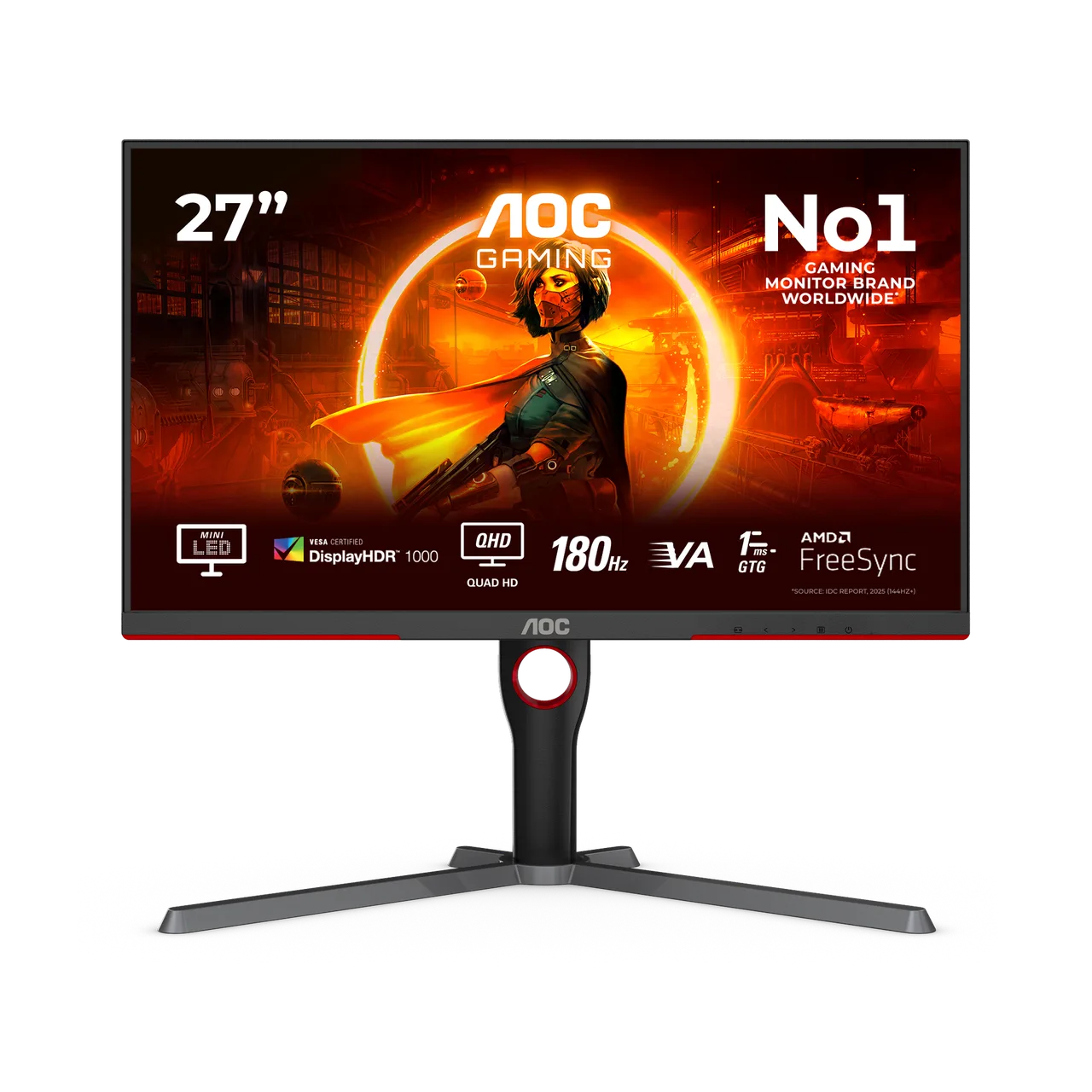
The best budget gaming monitor is not the one with the biggest numbers on the box. It is the one your graphics card can actually drive. A 1440p, 180Hz screen is wasted on a GPU that manages 70 fps at that resolution, and a 1080p screen leaves performance on the table if you have a strong card.
One thing up front: we have not tested any of the monitors below. This is a buying guide built from manufacturer spec sheets and published lab reviews, and it says so wherever a claim comes from a third party. If you are still planning the rest of your desk, start with our budget gaming setup guide.
Quick answer: our shortlist
| Monitor | Size / resolution | Refresh rate | Panel | Response time (maker's claim) | Best for |
|---|---|---|---|---|---|
| AOC Q27G3XMN | 27" / 2560x1440 | 180Hz | VA, mini-LED | 1ms GTG | Best picture quality for the money |
| ViewSonic VX2728J-2K | 27" / 2560x1440 | 180Hz | Fast IPS | 1ms GTG, 0.5ms MPRT | Cheap 1440p 180Hz with a full stand |
| ASUS TUF Gaming VG27AQL1A | 27" / 2560x1440 | 170Hz | IPS | 1ms MPRT | Proven 1440p IPS all-rounder |
| LG 24GS65F-B | 24" / 1920x1080 | 180Hz | IPS | 1ms GtG | Budget 1080p for entry-level GPUs |
Response times are manufacturer figures, usually measured under the most favorable settings. Treat them as a ceiling, not a promise.
How we picked
We do not own or test monitors, so we did not rank these by hands-on use. Instead we used three filters:
- Official specs. Every size, resolution, refresh rate, panel type and response time in this article comes from the manufacturer's own product page, read on 2026-10-07.
- Published testing. We favored models that independent labs have reviewed. For example, RTINGS says the best budget gaming monitor it has tested is the AOC Q27G3XMN, a 27-inch 1440p model with better picture quality than most budget displays. We cite lab findings as theirs, not ours.
- Price reality. We looked for models sold in the budget range. Prices change constantly, so we give indications only and mark the date.
Models that were out of stock on the manufacturer's store when we checked, such as the Alienware AW2725DM (listed as temporarily out of stock on Dell's US page), were left out.
What matters in a budget gaming monitor
Resolution and refresh rate: match your GPU
- 1080p (1920x1080) is the safe choice for entry-level graphics cards. At 24 inches it looks sharp, and the GPU can reach high frame rates in most live-service games.
- 1440p (2560x1440) looks noticeably cleaner at 27 inches, but needs roughly 80 percent more pixels rendered than 1080p. That means a mid-range card, or lower settings in demanding games.
- Refresh rate: the jump from 60Hz to 144Hz is the big one. 165Hz, 170Hz and 180Hz are small extras. Your frame rate has to reach those numbers to benefit.
Our rule of thumb: pick the resolution first (based on your GPU), then buy the best panel at that resolution.
Panel type: IPS, VA or TN
- IPS gives the best viewing angles and consistent colors. It is the default recommendation, with weaker contrast than VA in a dark room.
- VA panels offer deeper blacks and higher contrast, and can show motion smearing on dark transitions. The AOC above adds a mini-LED backlight with local dimming, which the maker lists as 336 zones.
- TN is now rare in this range and mostly worth avoiding.
Features that are worth paying for
- Adaptive sync (FreeSync or G-Sync Compatible) removes tearing. All four monitors below list it.
- A height-adjustable stand matters more for comfort than any HDR badge. HDR on budget panels rarely looks like true HDR, with the possible exception of mini-LED models.
- Ports: a DisplayPort input is needed for the highest refresh rates on several models. Check the manual before using HDMI.
The four models
AOC Q27G3XMN: best picture quality at a budget price
According to AOC's product page, this is a 27-inch 2560x1440 VA monitor at 180Hz with 1ms GTG, a mini-LED backlight with 336 local dimming zones, VESA DisplayHDR 1000 certification and 700 cd/m2 brightness. It has one DisplayPort 1.4 and one HDMI 2.0 input, and a stand with 130mm of height adjustment, tilt, swivel and pivot. AOC's page showed it from $218.49 on 2026-10-07.
RTINGS names it the best budget gaming monitor it has tested. The trade-off is the price: it sits just above the $200 line many readers set, and it has fewer ports than some rivals.
Where to buy: Amazon (link to come).
ViewSonic VX2728J-2K: cheap 1440p, 180Hz
ViewSonic lists a 27-inch 2560x1440 Fast IPS panel at 180Hz, with 1ms GTG and 0.5ms MPRT, FreeSync Premium and VESA AdaptiveSync, plus VESA ClearMR certification. Inputs are two HDMI 2.0 and one DisplayPort 1.4. The stand gives 130mm of height adjustment, tilt, swivel and pivot. We could not verify a current price on ViewSonic's own page, so check retailers.
It is the pick if you want the 1440p IPS combination without paying for mini-LED. We have not found a published lab review that we could read for this model, so the spec sheet is all we have.
Where to buy: Amazon (link to come).
ASUS TUF Gaming VG27AQL1A: the established all-rounder
ASUS lists a 27-inch 2560x1440 IPS panel at 170Hz with 1ms MPRT, G-Sync Compatible certification and Adaptive-Sync. Ports are one DisplayPort 1.2, two HDMI 2.0 and a two-port USB 3.2 hub, and the stand offers 0-130mm height adjustment, tilt, swivel and pivot. RTINGS has published a review of this monitor, which makes it easier to cross-check than newer, lesser-known models.
It is slightly older, and the 170Hz ceiling is a few hertz lower than the others. Check availability, as stock on older models fluctuates.
Where to buy: Amazon (link to come).
LG 24GS65F-B: the 1080p value pick
LG lists a 24-inch 1920x1080 IPS monitor at 180Hz with 1ms GtG, G-Sync Compatible and FreeSync support, and a tilt, height and pivot stand. Pairing 1080p with a high refresh rate is the right move for entry-level graphics cards. In our budget setup guide, 24-inch 1080p monitors at 144Hz or higher cost about $85-$180 in September 2026, so the category sits well below the 1440p models above.
Where to buy: Amazon (link to come).
1080p or 1440p: which should you buy?
| Your situation | Buy |
|---|---|
| Entry-level GPU, or a PC under about $750 | 1080p, 24 inches, 144Hz or more |
| Mid-range GPU, competitive shooters at high fps | 1080p at 180Hz, or 1440p if frame rates stay above 100 |
| Mid-range GPU, visual or open-world games | 1440p at 27 inches |
| You want to keep the screen for 4-5 years | 1440p, since your next GPU will likely handle it |
Heavy open-world games such as Once Human (see our Once Human PC requirements) will stress a budget GPU at 1440p, while lighter strategy and gacha games run happily at either resolution. If your main game is an action title like the one in our Where Winds Meet combat guide, check its official system requirements against your card before committing to 1440p.
A useful trick: 1440p monitors can run games at 1080p. The image is a little softer than on a native 1080p panel, but it gives you a path to upgrade your GPU later.
FAQ
What is the best budget gaming monitor in 2026?
For most buyers, a 27-inch 1440p monitor at 165-180Hz is the best value, provided your GPU can handle it. Among the models above, RTINGS rates the AOC Q27G3XMN highest as a budget gaming monitor. If you play on an entry-level GPU, a 24-inch 1080p 180Hz model such as the LG 24GS65F-B is the smarter buy.
Is a cheap 1440p 144Hz monitor worth it?
Yes, if your graphics card can reach 100+ fps at 1440p in the games you play. The extra sharpness is visible at 27 inches. If it cannot, you pay for pixels you cannot use.
What is the best monitor under $200?
Prices move, so check current listings. Based on specs, the ViewSonic VX2728J-2K and the LG 24GS65F-B are the models in this list most likely to land near or under that mark. We could not confirm their current prices on the manufacturers' pages.
Do I need 180Hz instead of 144Hz?
No. Going from 60Hz to 144Hz is the major improvement. The step from 144Hz to 180Hz is small, and you only see it if your frame rate keeps up. Buy it if the price is similar.
IPS or VA for gaming?
IPS for balanced colors and viewing angles, VA for contrast, especially in dark rooms. Check lab reviews for response times on VA panels before buying.
Specs read from manufacturer pages on 2026-10-07. Prices and availability change often, so check before you buy.