A budget gaming setup is not a cheap PC plugged into whatever screen is lying around. It's a PC, a monitor, peripherals, a desk and a chair that work together. With $1,000 total in 2026 you can still get there, but memory and storage prices have climbed sharply, so the order you buy in, and where you refuse to compromise, matter more than any single part.
What does a budget gaming setup include? (Quick checklist)
Use this gaming setup checklist, and cross off anything you already own: every item you reuse frees cash for the PC.
- Gaming PC — a dedicated graphics card, at least 16GB of RAM and an SSD.
- Monitor — 24 inches, 1080p, 144Hz or more.
- Keyboard and mouse — wired, with a mouse that fits your hand.
- Headset or earbuds with a mic — for voice chat.
- Mouse pad — large and cloth.
- Desk and chair — a deep desk and a height-adjustable chair.
- Power and cables — a surge-protected power strip and an Ethernet cable if your router is reachable.
- Windows license — prebuilts usually include one; a self-built PC does not.
How should you split a $1,000 budget?
The PC takes the biggest share because it decides what you can play, but a strong tower on a 60Hz office monitor wastes most of what you paid for. These are budget targets, not prices: going to the top of one range means coming down in another.
| Item | Budget target | What to prioritize |
|---|---|---|
| Gaming PC | $600–$750 | Graphics card first, then 16GB RAM in dual channel, then an NVMe SSD |
| Monitor | $85–$150 | 1080p, 24 inches, 144Hz or higher, IPS, FreeSync/G-Sync compatible |
| Keyboard + mouse | $40–$60 | A mouse that fits your grip; a sturdy wired keyboard |
| Headset | $25–$40 | Comfort and a usable mic |
| Desk + chair | $0–$120 | Reuse what you have; otherwise depth and height adjustment |
| Mouse pad, power strip, cables | $20–$30 | Large cloth pad, surge protection |
| Total | $1,000 maximum |
For reference, here is what the main parts cost in US retail (prices observed in August–September 2026):
| Component | Price range |
|---|---|
| Prebuilt 1080p gaming PC with a current entry-level graphics card | from about $750 |
| 24-inch 1080p monitor, 144Hz or higher | about $85–$180 |
| 16GB DDR4 RAM kit | about $120–$130 |
| 16GB DDR5 RAM kit | about $280–$300 |
| 1TB NVMe SSD | about $100–$250 |
A new entry-level prebuilt uses most of the budget on its own, so a full setup under $1,000 usually means reusing your desk and chair, or taking the $600–$750 route below. Prices move weekly in 2026: check them again before you buy.
The PC: prebuilt or build your own on a budget?
This is the biggest decision in a cheap gaming setup.
Building your own gets you more performance per dollar, usually through a better graphics card. The catch: you buy Windows separately, you are your own tech support, and one wrong part can cost you time and money.
Buying prebuilt gives you one warranty and zero assembly, which is why it is often the right call for a gaming setup for beginners. At the budget end, check the full spec sheet for the usual shortcuts: a single RAM stick (16GB in single channel is slower than 2×8GB), a 512GB SSD that fills up fast, an unnamed power supply, or a graphics card with too little VRAM.
What to aim for: a mid-range 6-core CPU, an entry-level graphics card with 8GB of VRAM if you can reach it, 16GB of RAM in dual channel and a 1TB SSD. That profile targets 1080p, which is exactly what a budget monitor runs at.
Getting there for $600–$750. New prebuilts with a current entry-level graphics card started from about $750 (prices observed in August 2026). Memory is the main reason: a 16GB DDR5 kit cost more than twice as much as a 16GB DDR4 kit (about $280–$300 against $120–$130, prices observed in September 2026). Below $750, the realistic options are a self-build on a DDR4 platform, a previous-generation graphics card, or a used or refurbished PC from a reputable seller with a clear return policy.
Which games will it run? Heavier open-world titles such as Once Human's survival-crafting sandbox or the wuxia action of Where Winds Meet will push a budget graphics card, so check each game's official system requirements and expect medium settings. Strategy games such as Rise of Kingdoms are far lighter and leave plenty of headroom.
Monitor: which resolution and refresh rate on a budget?
For a budget gaming setup, the answer is simple: 1080p, 24 inches, 144Hz or higher.
- Resolution: 1440p looks sharper but asks for much more GPU power than a budget PC has.
- Size: 24 inches keeps 1080p sharp at desk distance; at 27 inches it starts to look soft.
- Refresh rate: going from 60Hz to 144Hz is the most noticeable upgrade in the whole setup. 165Hz or 180Hz is a bonus, not a big step up.
- Panel: IPS gives better colors and viewing angles than VA or TN, and budget IPS panels are now common.
- Adaptive sync: FreeSync or G-Sync Compatible removes screen tearing.
24-inch 1080p monitors at 144Hz or higher sold for about $85–$180 (prices observed in September 2026), so $85–$150 covers the category.
One critical detail: plug the monitor into the graphics card, not the motherboard, then set the refresh rate manually. Windows often defaults to 60Hz.
Keyboard, mouse and headset: where to save, where not to
With $65–$100 for all three, pick your battles.
- Don't save on the mouse. You need a shape that fits your grip, a reliable optical sensor (even cheap gaming mice have one now) and a weight you like.
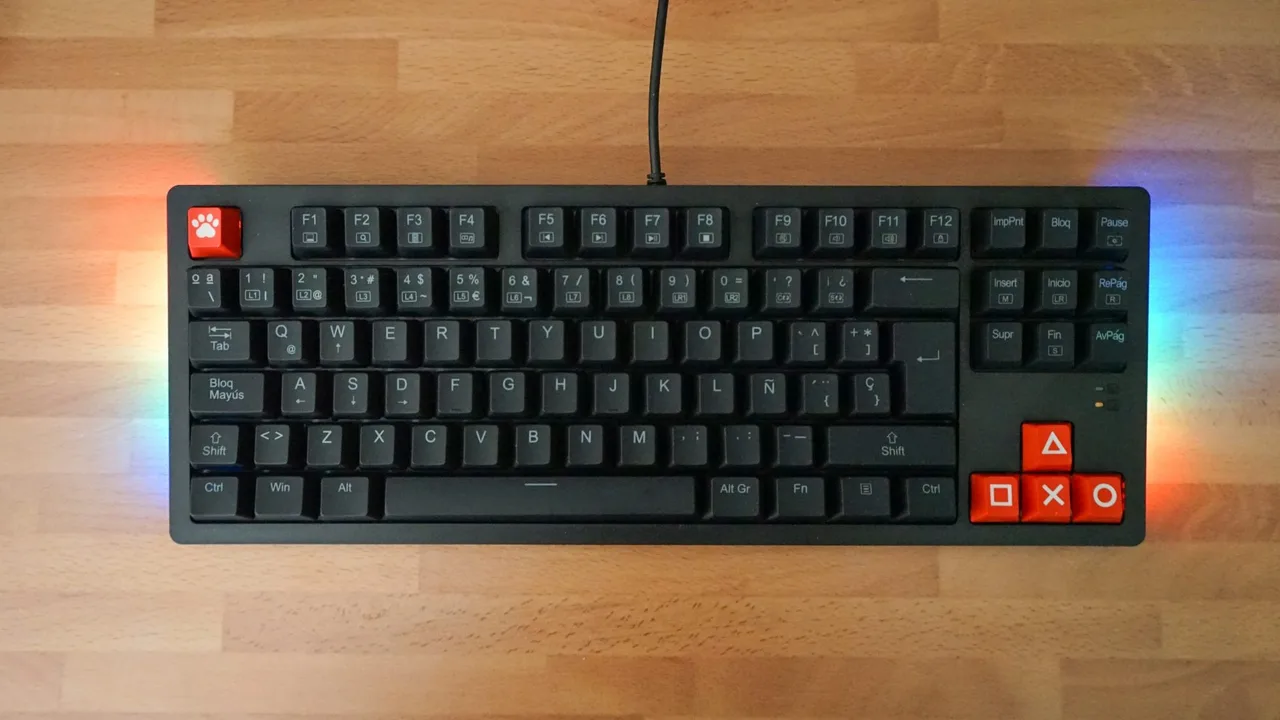
- Save on the keyboard. A wired membrane or entry-level mechanical keyboard is fine. A tenkeyless layout, without the number pad, gives your mouse more room on a small desk.
- Choose the headset for comfort. Clamp force and ear pads matter more than "7.1 surround" marketing. Earbuds with a mic can carry you for a while.
- Go wired. Cheap wireless peripherals are where build quality and connection stability suffer.
Desk, chair and space: setting up a small gaming setup
A small gaming setup works fine as long as the ergonomics are right.
- Desk: depth matters more than width. Aim for at least 24 inches deep and about 40 inches wide, and choose a solid desk over a wobbly one sold as "gaming".
- Chair: adjustable height is the minimum. Feet flat on the floor, elbows level with the desk. Low-end racing-style chairs are often less comfortable than a basic office chair at the same price.
- Monitor height: the top of the screen at or just below eye level. A stack of books fixes a low stand.
- Airflow: keep the tower off thick carpet and its fans clear of walls.
- Connection: use Ethernet if you can. It is more stable than Wi-Fi for online games.
Which cheap upgrades improve the setup the most?
- Fix the RAM configuration. A single 16GB module can be paired with an identical second one for dual channel. With 2026 memory prices, check the cost first.
- Add storage. A second SSD saves you from uninstalling games every week. Wait for a sale.
- Cable management. Velcro ties and a cable tray cost almost nothing and make the setup easier to clean and upgrade.
- Lighting. A bias light behind the monitor is easier on the eyes in a dark room. Case RGB is decoration.
Mistakes to avoid
- Pairing a good PC with a 60Hz screen, or leaving a 144Hz monitor at 60Hz.
- Plugging the monitor into the motherboard instead of the graphics card.
- Picking the cheapest unnamed power supply.
- Forgetting the Windows license on a self-build.
- Paying for "gaming" branding instead of fit and build quality.
- Buying everything at full price in one go. Waiting a few weeks for sales can move you up a tier.
FAQ
Is a $1,000 gaming setup enough?
Yes, for 1080p. It handles most live-service and online games at medium to high settings, with more compromises in heavy open-world games. It won't do 1440p or maxed-out settings in the most demanding releases comfortably.
Should you buy the monitor or the PC first?
The PC. It works on any screen you already have, even a TV, while a high-refresh monitor does nothing without a PC to drive it. Add the monitor soon after: the jump to 144Hz is one of the biggest upgrades in the setup.
Is it cheaper to build or buy a prebuilt gaming PC?
Building usually gives more performance for the money, but a Windows license narrows the gap, and when memory prices are high, prebuilts sometimes come close. Compare full spec sheets, not headline prices.